Prerequisites
- An active Claude paid plan (required for custom connectors)
- A HeyGen account (Creator plan or above recommended for full video generation access)
Setup
1. Register the Connector
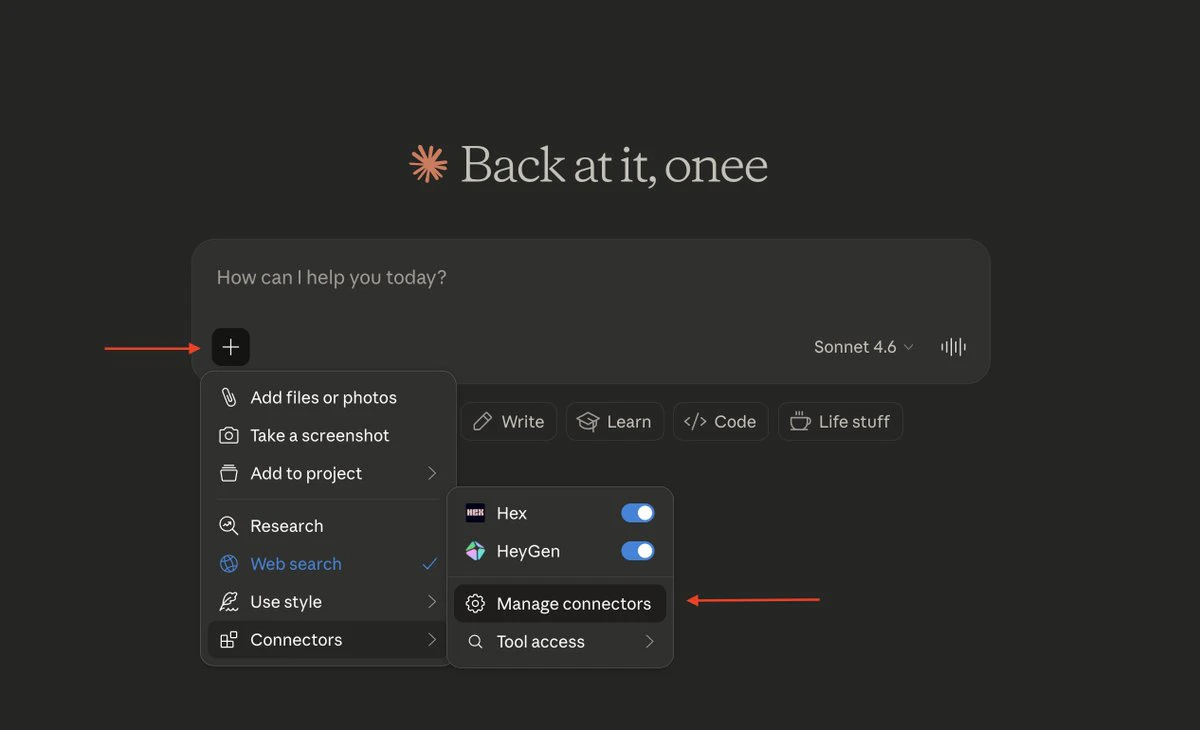
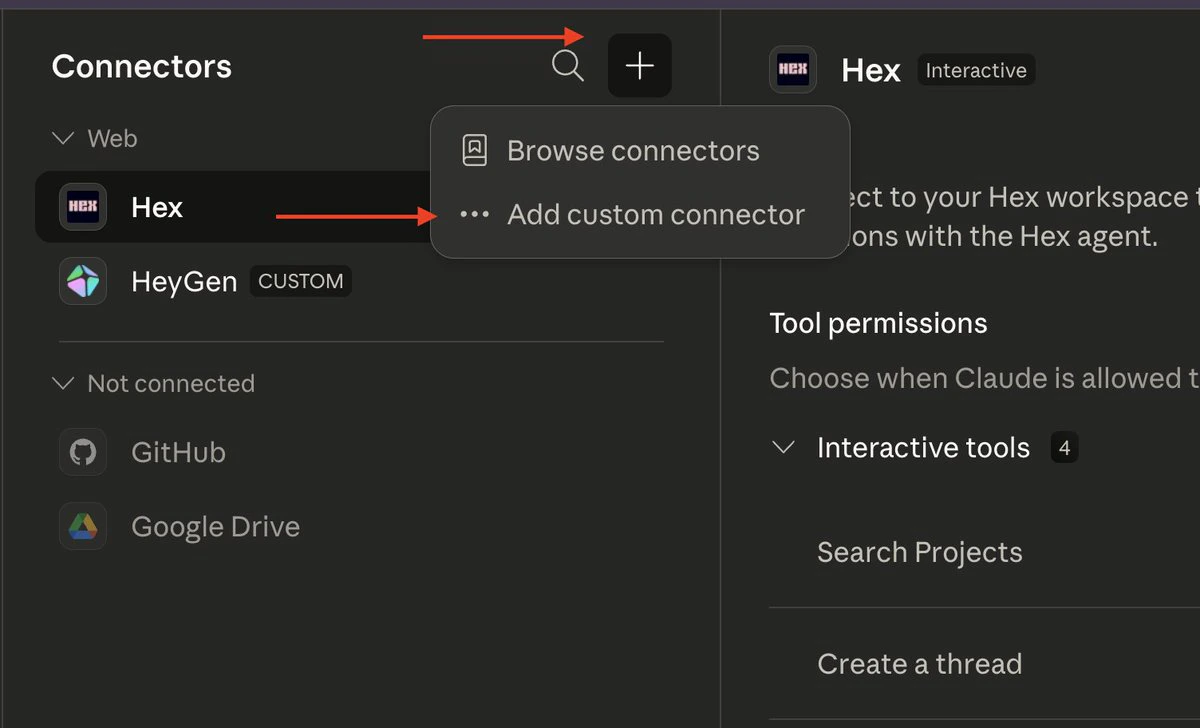
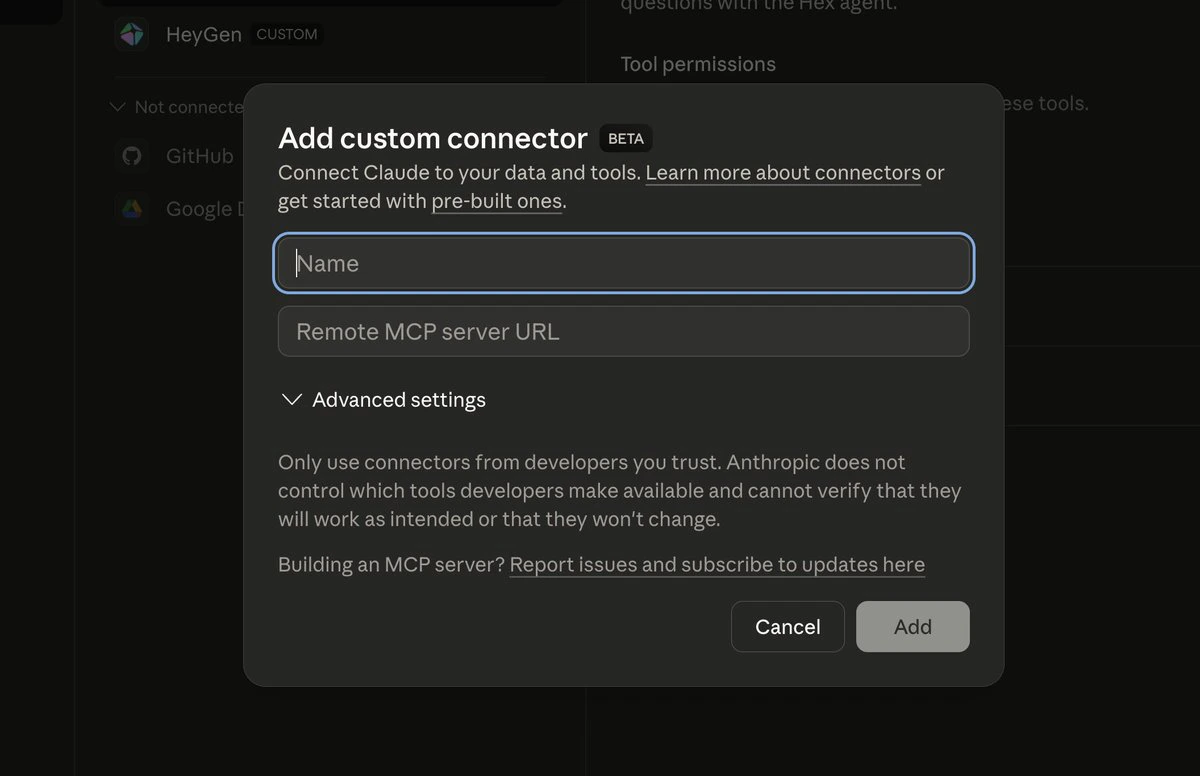
Navigate to + → Connector → Manage Connector → + Add custom connector. Set the connector name toHeyGen and provide the following remote MCP server URL:


2. Authenticate
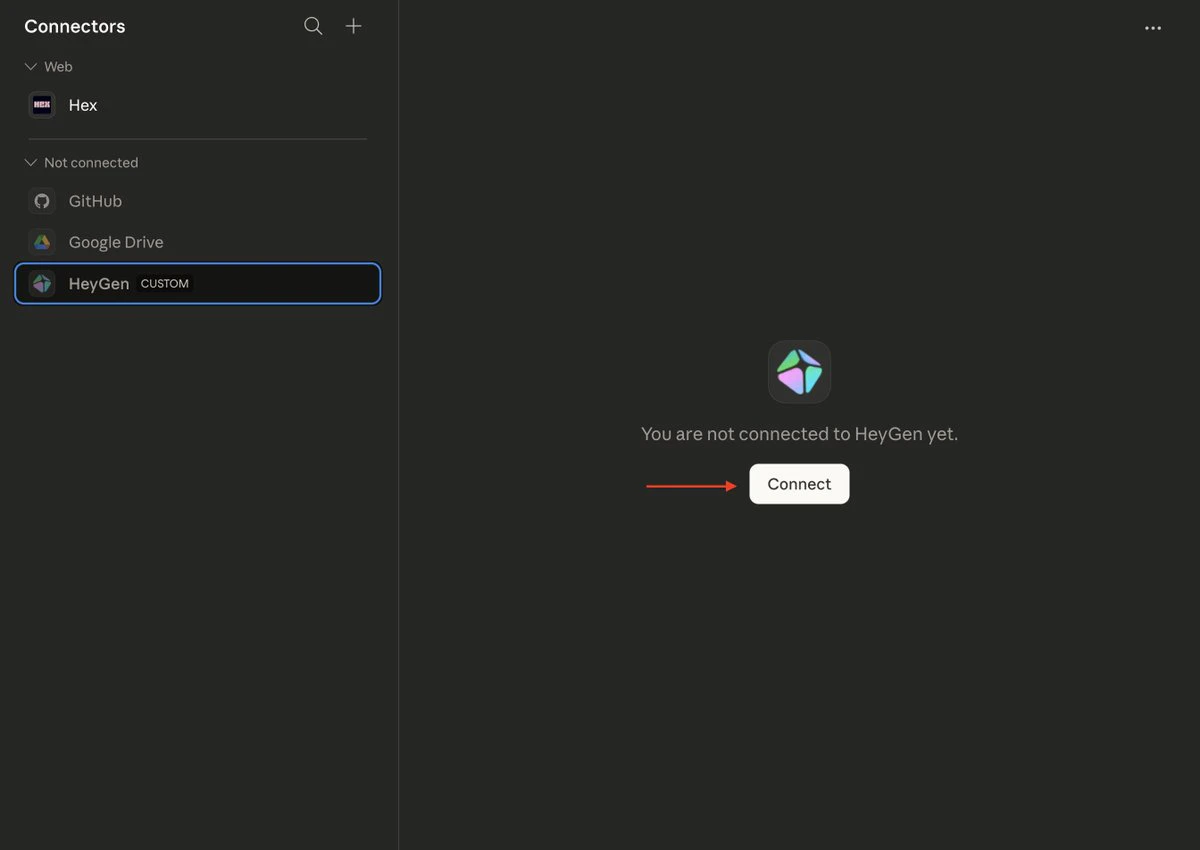
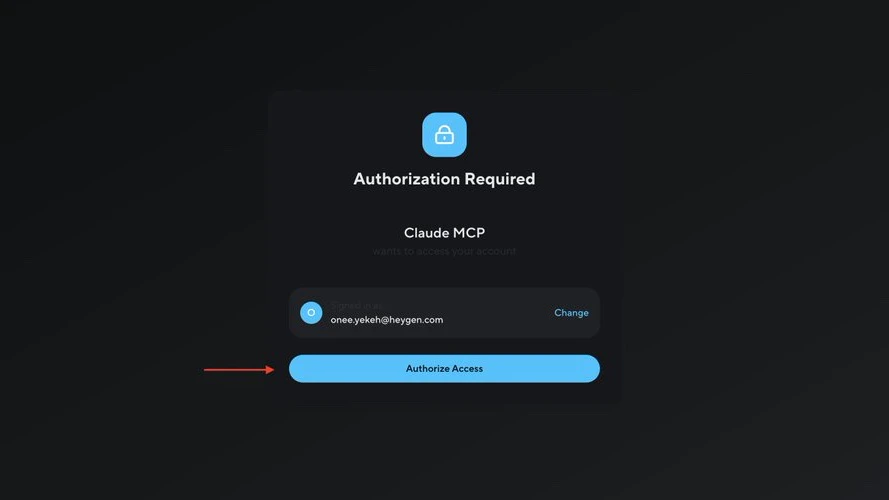
After saving the connector, click Connect. You will be redirected to HeyGen’s authorization page. Approve the requested access to complete the OAuth flow.

3. Configure Permissions (Optional)
To avoid repeated permission prompts, set the HeyGen connector permissions to Always Allow.
Usage
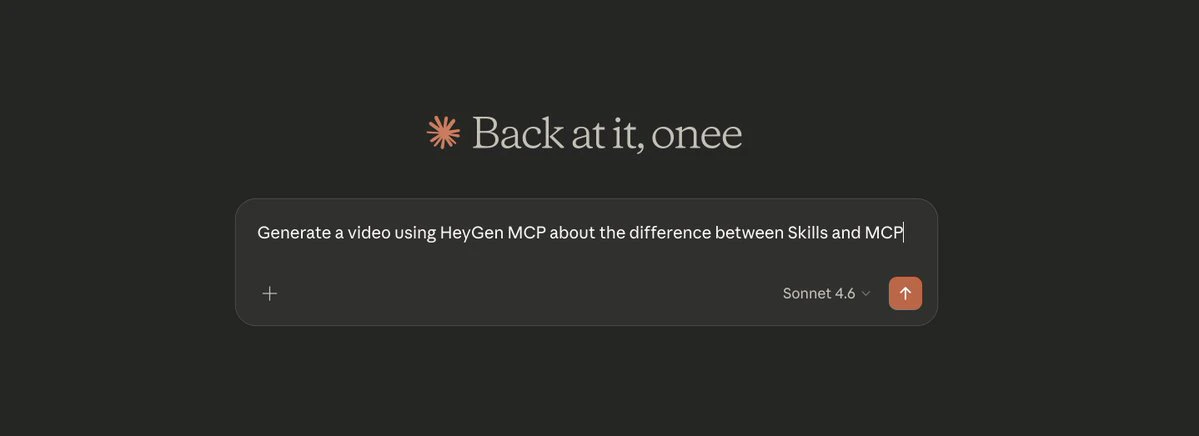
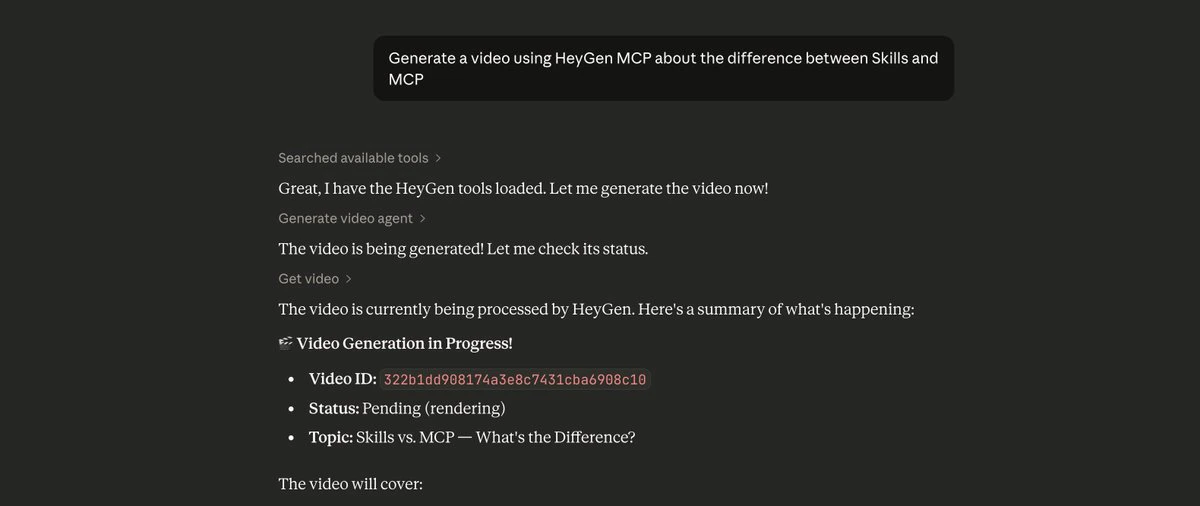
Open a new Claude chat and provide a video generation prompt. Example:

Limitations
| Constraint | Detail |
|---|---|
| HeyGen Free Tier | Limited video generation credits. Upgrade to Creator plan for production use. |
| Claude Free Tier | Custom connectors are not available. A paid Claude subscription is required. |